
What is a subscription?
A subscription is a recurring series of invoices that are to be generated on a monthly or termly basis. Invoices are auto-regenerated usually 1-2 weeks before the start of a new month or a new term. A subscription is specific to an individual student and each student will only have 1 single subscription regardless of the number of classes/subjects taken.
When will the system auto-regenerate subscription?
There are 5 changes that would cause the system to auto-regenerate the student subscription:
Student is added to a new class (including multiple classes like the 2nd, 3rd class and so on)
Student is removed from class
Student has an end date added in a class (which means that student will be auto-removed from the class when the end date has arrived)
Student has a change of class (using the "Change class" popup in the class page)
Student has a student pause/break added which affects the number of lessons charged for
When do you need to manually regenerate subscription?
When there are changes to the lesson schedule which means a different number of lessons within the month/term (it could be due to changes to the term dates or when excluded days are added or removed)
When there are changes to the invoice items (change in price or new invoice items added that need to be included in the invoice)
Regenerate a single subscription
Regenerate multiple subscriptions
Go to the Subscriptions page (Finance > Subscriptions) and scroll down to view "All" entries

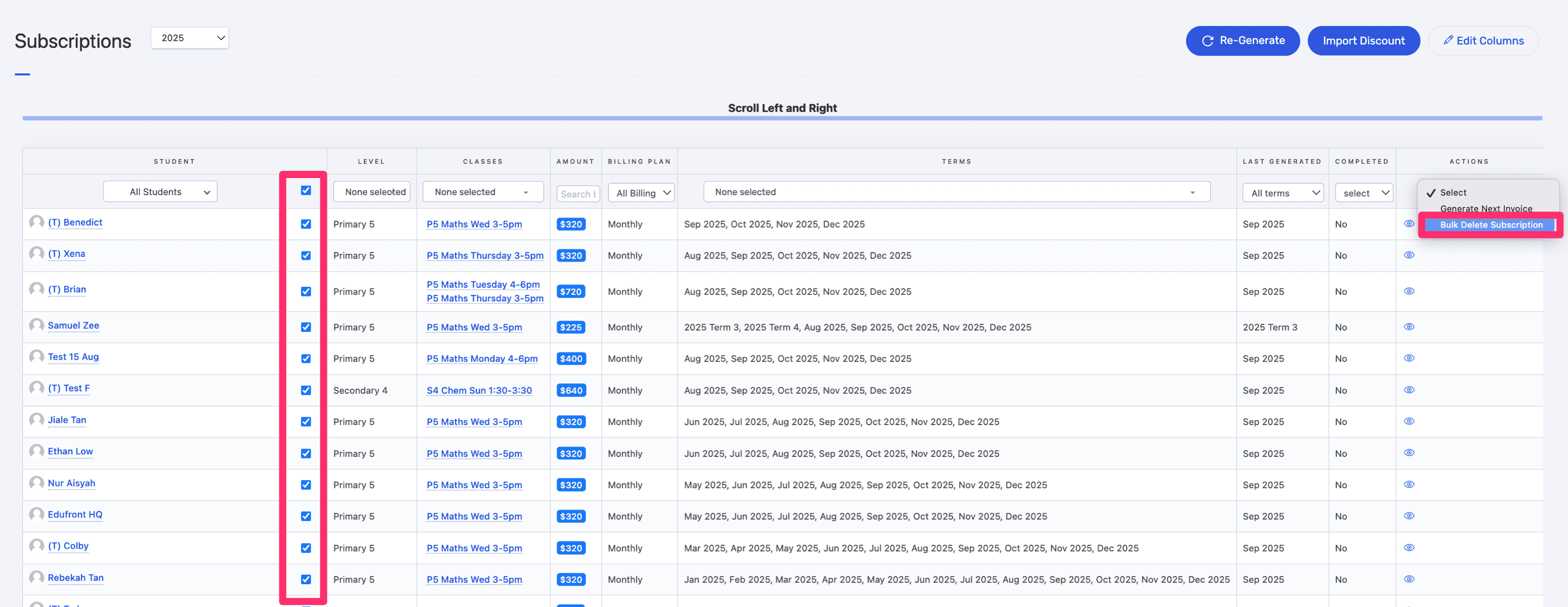
Delete the subscriptions by selecting the checkbox, then select Bulk Delete from the dropdown
Click on the Regenerate button
