Types of staff user accounts:
Super Admin | A super admin has access to all settings, including managing other admin users and updating system-wide user permissions. |
Admin | An admin has limited access such as being able to view, edit data on certain pages. An admin is also unable to add or manage other Admin users. |
Teacher | A teacher has limited access and can only view classes and lessons that has been assigned, and is unable to view other teachers' classes and lessons. The main action that the teacher does is the marking of attendance and updating student progress reports. |
Accountant | An accountant has limited access to finance related pages such as invoices and payments. |
*Additional roles or renaming of the account types can be done upon request
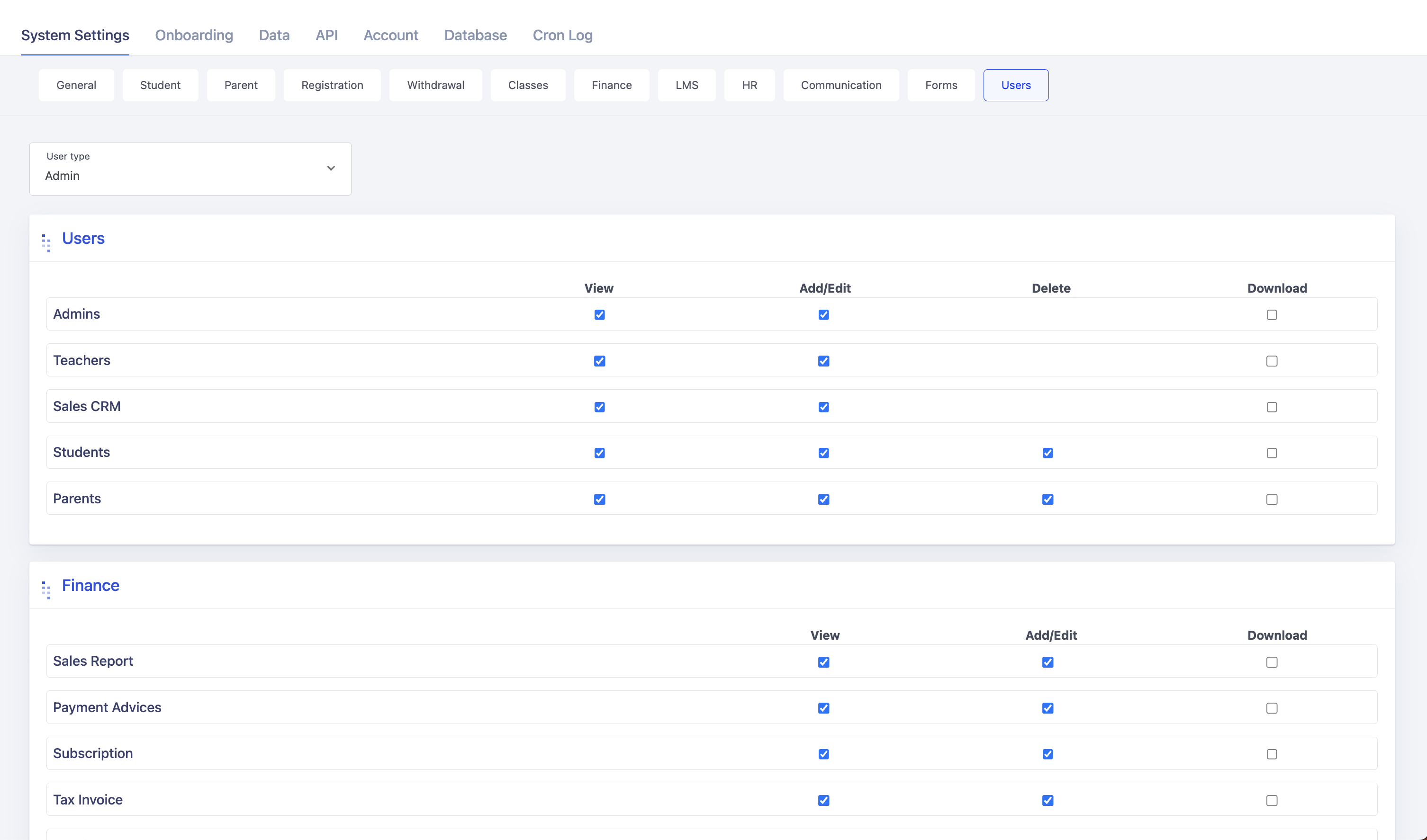
To adjust this setting, go to Settings page, and click on the Users tab. Then select the user type that you want to configure for.
View - user is able to view the page
Add/edit - user is able to add or edit entries on the page
Delete - user is able to delete entries on the page
Download - user is able to download entries on the page
Once done selecting the desired options, Choose the option click on Save at the bottom of the page: