
By adding excluded days, the system will then do "lesson skipping", which means that it will skip over these excluded days and not generate any lessons on these days.
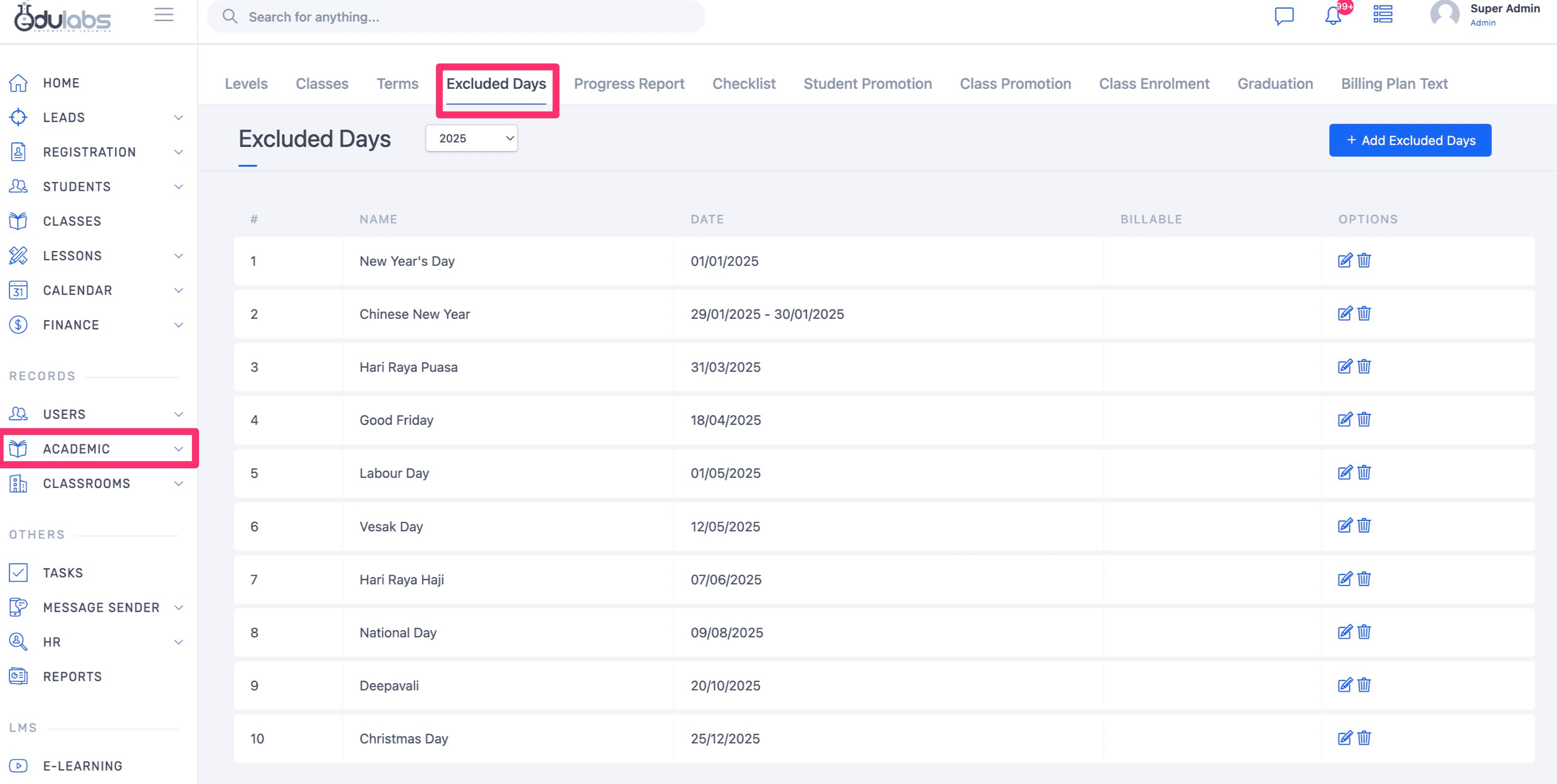
Go to any page inside of the Academic module
Click on Excluded days then click on Add Excluded Day button
Enter a name and date, then click on Save
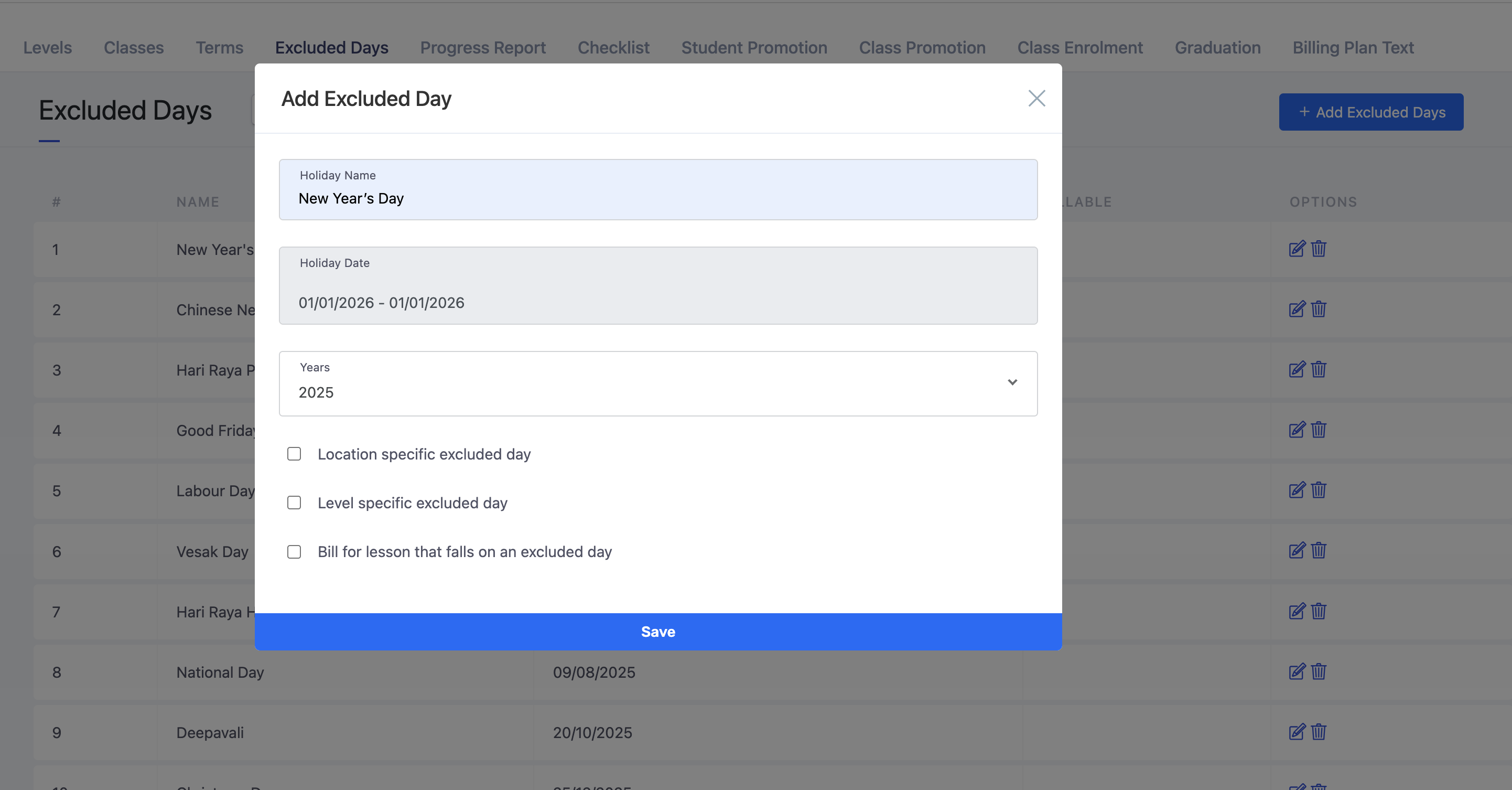
Other settings:
Location specific excluded day
Level specific excluded day
Bill for lesson that falls on an excluded day